


LOW PRICE GUARANTEE

FREE SHIPPING $99+

AUTHORIZED MACHINE DEALER
Baby Lock Array 6 Needle Embroidery Only Machine
Multi-Needle
- 6 Needle Machine
- 7 7/8" x 11 3/4" Embroidery Field
- Embroidery Crosshair Positioning Laser
- IQ Intuition
- Monitoring® App
- 126 Built-In Designs
- Intuitive Color Management
- Design Database Transfer
- Embroiders at 1,000 Stitches Per Minute
OUR RECOMMENDED ACCESSORIES

Baby Lock Embroidery Machine Stand, #ALSTAND
$1,339.99

Baby Lock Cap Frame Hoop Set, #EPCF3
$889.99

Baby Lock 14" x 8" Magnetic Embroidery Hoop ENMF360
$538.99

Baby Lock Compact Embroidery Frame Set #ENCOMFS
$369.99

Baby Lock Embroidery Cap Frame Set #EPCF4
$1,278.99
Share this product
At a Glance

Iq intuition positioning

Needle threader

Embroidery hoop

Spm 1000

Tubular hooping

# needle machine
Baby Lock Array Multi-Needle Embroidery Machine
The Baby Lock Array Multi-Needle Embroidery Machine is designed for those who want to take their embroidery to the next level. Whether you are an enthusiast or plan to start a business, the Baby Lock Array Multi-Needle will harness your fearless creativity. Use a brilliant high definition touchscreen as the control center for all of your embroidery masterpieces. Make quick changes to designs and start embroidering right away. Create your own designs or use any of the 126 built-in designs. This powerful six-needle machine includes a variety of features, including a cross-hair positioning laser, that will make your wildest creative dreams become a reality.
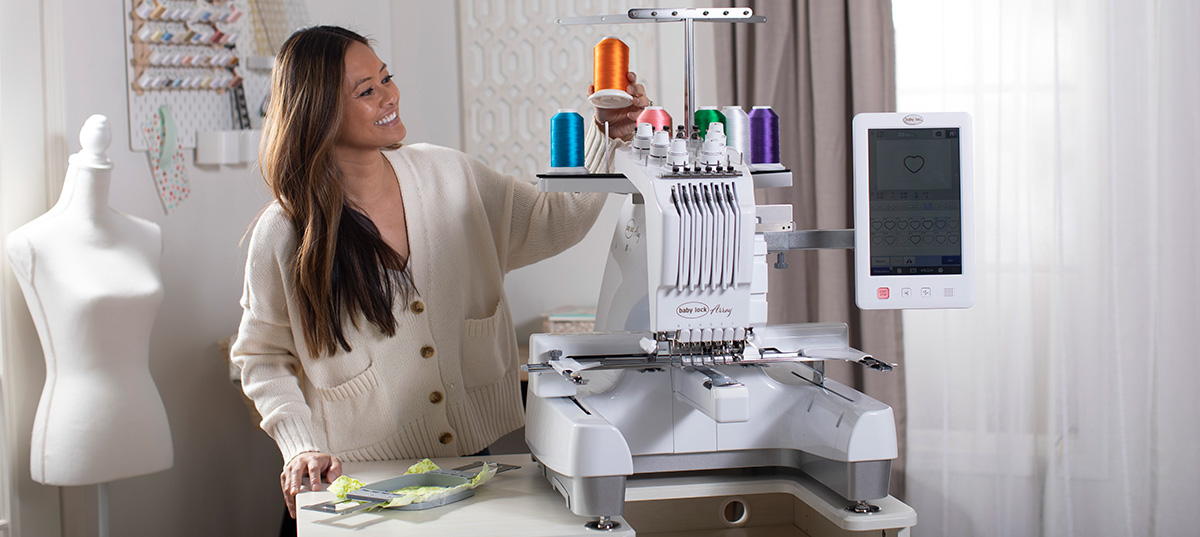
Baby Lock Array: Key Features
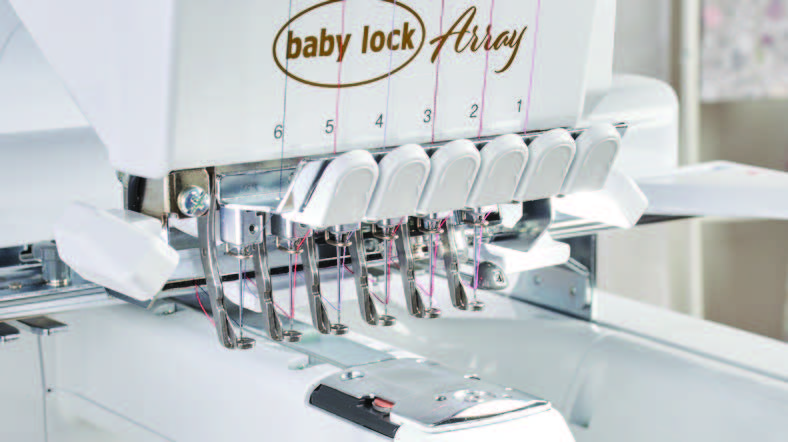
Six Efficient Needles
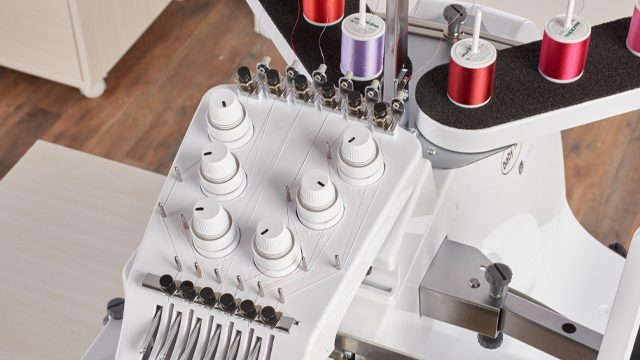
With six needles, you’ll love how quickly you can embroider large, multi-colored designs; and you can finish projects without excessive thread changes between jobs. You will save time because you can embroider more colors and stitches before you have to rethread.
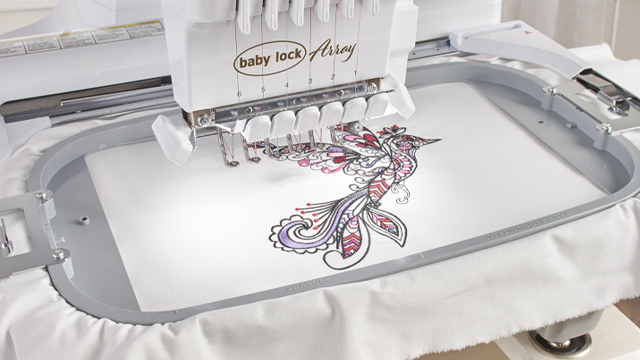
7 7/8″ x 11 3/4″ Embroidery Field
Embroider on a massive 7 7/8″ x 11 3/4″ space, giving you more room than ever before! Embroider in hoops as small as 1.5" x 2.25" or as large as 7.85x11.75" so you can pick the right sized hoop for the job.
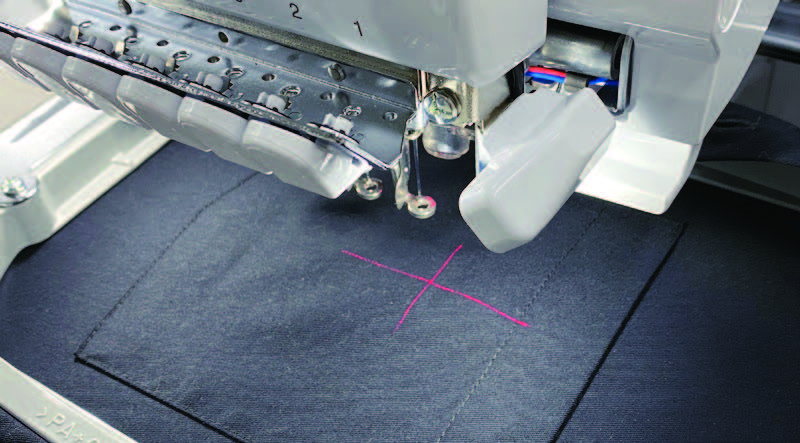
Embroidery Crosshair Positioning Laser
Use the crosshair positioning laser to preview the position of your embroidery design. Then adjust the position and angle for precise alignment. Your embroidery will be perfectly placed every time. Stop rehooping to get your project perfectly centered. The crosshair laser is an easy way to adjust the design placement to where you need it to stitch based on what your project needs.
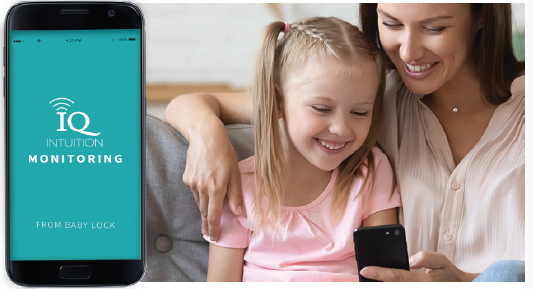
IQ Intuition™ Monitoring App
Keep track of your project’s progress with this convenient feature that alerts your phone when the bobbin needs to be changed, if a thread breaks, if a thread needs to be changed and when stitching is done. Increase your productivity with this app. Track stitching progress or get an alert you when a bobbins needs changing, a thread breaks, a thread needs to change, or your stitching is complete.
Wireless Capability
Using optional Palette 11 software, easily send designs to your computer for editing or to machine for stitching. Wirelessly download and install software updates for the machine. Using optional Palette 11 software, easily send designs to your computer for editing or to machine for stitching. Wirelessly download and install software updates for the machine.
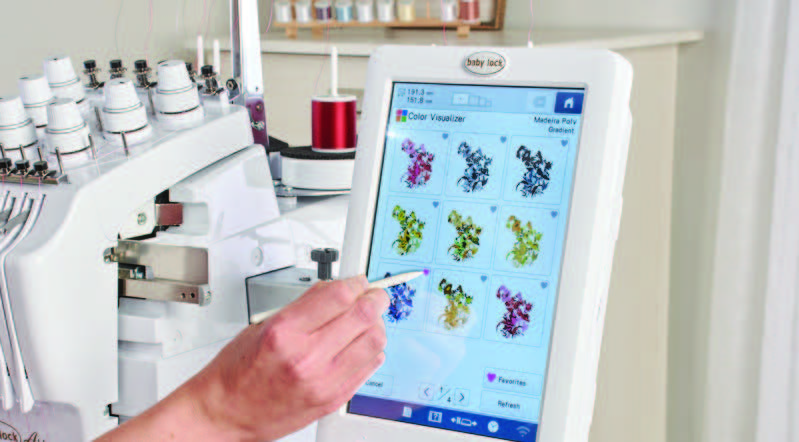
Intuitive Color Management
Use Color Visualizer to effortlessly find a variety of color schemes for your projects. Select from random, gradient, vivid, or soft effects. Reassign colors in your design and see the changes on screen, or use the Color Visualizer to see different color options for your design, either completely random or based on a few predefined colors.
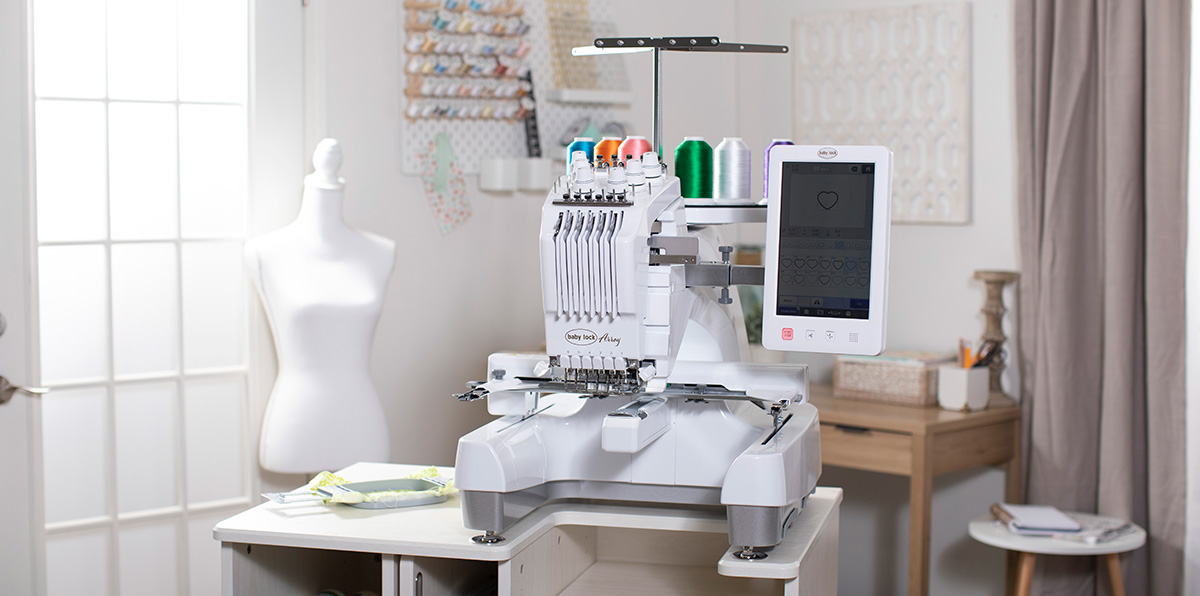
FREE ARM EMBROIDERY
Easily embroider anything you can think of! Tubular items like sleeves, pant legs, bags, and more are no problem with the free arm
INTUITIVE COLOR MANAGEMENT
Use Color Visualizer to effortlessly find a variety of color schemes for your projects. Select from random, gradient, vivid, or soft effects.
Reassign colors in your design and see the changes on screen, or use the Color Visualizer to see different color options for your design, either completely random or based on a few predefined colors.
EXPANDED TENSION RANGE
Convenient dials allow you to easily adjust upper thread tension to reduce puckering on the most delicate fabrics.
Individually adjust upper thread tension for each needle for better results with difficult threads and unusual materials.
TRUVIEW™ IPS LCD TOUCHSCREEN IN HD
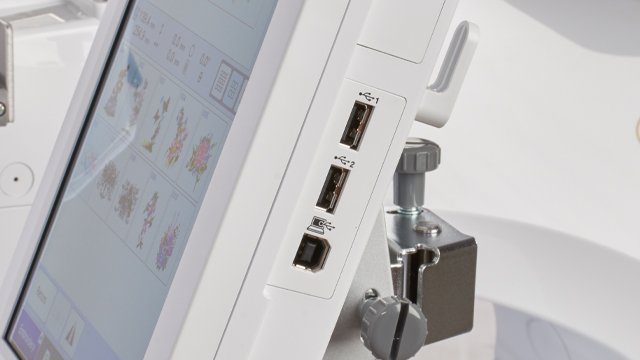
This high-definition TruView IPS LCD touchscreen brings your embroidery designs to life. It displays over 16 million colors so every image is vivid and bold. Plus, large touchscreen buttons help with quickly editing designs and accessing machine settings.
The ability to zoom up to 200% on designs make it easy to bring your embroidery to life.
126 EMBROIDERY DESIGNS
Choose from 126 built-in embroidery designs with 60 exclusive designs. You’ll find inspiration for any embroidery project ready to go at the touch of a button.
FOUR HOOPS INCLUDED
The Array comes with four hoops, giving you more options to match to your projects every time and provide stability from the smallest to the largest hoop size.
Positioning grids are also included.
EMBROIDERS AT 1,000 SPM
Embrace larger, multi-colored designs and watch them stitch in no time! The Array works at up to 1,000 stitches per minute.
You can also stitch at speeds down to 300 stitches per minute for delicate materials or threads.
50 BUILT-IN FONTS
The Array comes with a vast variety of built-in fonts to help make every project unique. In addition to the 50 built-in resizable fonts, you can select from 11 additional large, decorative lettering styles. Now you can give every project a distinct look.
3 monograms with 15 monogram frame options are built in. Easily audition fonts until you find the perfect one for each embroidery.
SHORTCUT KEY TO EMBROIDERY SCREEN
For simple projects requiring no editing, use the shortcut key to minimize steps between setting the pattern and stitching.
ADMINISTRATOR LOCK
Get control over who can makes changes to settings or designs. Lock the settings screen to prevent unwanted changes to settings.
KEY OPTIMIZATION
Disable functions not needed for your projects to reduce errors and increase efficiency.
INCLUDED ACCESSORIES
The Array comes with lots of great accessories to help you create. For a full list, refer to the machine manual.
Accessories such as threading tools, screwdrivers, thread nets, and more can all be stored in the convenient accessory box.
Added Convenience with Baby Lock Array
- 50 font styles
- 24 Built-in tutorial videos
- Built-in memory (10MB)
- Bobbin system: front loading, vertical rotary hook
- Uses pre-wound bobbins (Class “L”)
- 2 LED lights to illuminate work area
- Upper thread breakage sensors
- Manual tension control
- Automatic thread trimmer (upper and lower)
- Start/stop button with lock feature
- Onscreen speed control while stitching
- Change screen and thumbnail background color
- Embroidery shortcut key
- Two accessory storage compartments
- Change embroidery position using speed keys
- Needle bar/frame move key repositions the hoop for easy access
- Advanced editing features
| Features | |||
|---|---|---|---|
| Ease of Placement | 9 Point trial check points, Needle beam if U+ foot is purchased separately | Needle Beam Trace, 2-Point Positioning | IQ Intuition Positioning® with App & Coded Hoops, Needle Beam, 2-Point Positioning |
| Maximum Hoop Size | 6.25" x 10.25" | 9.5" x 14" | 9.5" x 14" |
| Included Hoops |
6.25" x 10.25" 5" x 7" |
9.5" x 14" 5" x 7" |
9.5" x 14" 5" x 7" |
| Editing Features | Color Sort, Mirror image, 1°, 10° & 90° Design Rotation Combine designs | Auto Baste, Color Sort on Border Function, Monochrome, Duplicate, Auto-Stipple, Echo & Decorative Fill, Color Visualizer, Enhanced Color Sort, Matrix Repeat, Size & Rotate On-Screen, Design Group, Multi-Selection Tool, No-Sew Region | IQ™ Designer, Auto-Stipple, Echo & Decorative Fill, Color Visualizer, Enhanced Color Sort, Size & Rotate On-Screen, Design Group, Multi-Selection Tool, No-Sew Region |
| Number of Built-In Fonts | 16, including Large block & Exclusive Script, Multi-line text | 32, including 6 Large Alphabets | 34, including Extra Large Alphabets, Couching, & Exclusive Script |
| IQ Designer | - | - | ✓ with IQ Intuition Positioning |
| Number of Built-In Embroidery Designs | 293 | 24 | 957, including Couching Embroidery |
| File Formats | PES, PHC, DST. Saves in PHC, receives wirelessly from Palette, cannot send to a PC, cannot read PHX | PES, PHC, DST. Saves in PHC | PES, PHC, PHX, DST. Saves in PHX, send & receive to/from Palette, can read PHC |
| Resizing Capability | Up to 20%, Down to 10% | Up to 20%, Down to 10% | Up to 200%, Down to 60% |
| Technology | 1 USB A | 1 USB A & 1B | 1 USB A & 1B |
| Wireless Features | Palette 11 & Design Database Transfer, Wireless Update Notification | Palette 11 & Design Database Transfer, Wireless LAN for Updates, IQ Intuition Monitoring™ App | Palette 11 & Design Database Transfer, IQ Intuition Positioning™ App, IQ Intuition Monitoring™ App, Updates Via Wi-Fi |
| Top Embroidery Speed | 850 SPM | 1,050 SPM | 1,050 SPM |
| Sewing With Embroidery Unit | - | - | - |
| Maximum Stitch in a Single Hooping | 200,00 | 500,000 | 700,000 |
| Auto Resume | ✓ | ✓ | ✓ |


Fly In Program
You live too far away? We'd love to treat you to a plane ticket or Uber ride to pick up your dream machine and receive a FREE in-person lesson to ensure you're fully confident with your new machine before you head home! Apply now!
 Free Plane ticket or uber ride to get your dream machine
 Get a top of the line machine at the best price
 free lesson on your machine the day you buy it


FAQ
Got a question? We're here for you!
What items can I embroider with the free arm?
The free arm allows you to easily embroider bulky or pre-constructed items. You can work directly on finished hats (using an optional cap frame), sleeve cuffs, shoes, purses, and baby onesies without having to take the item's seams apart.
How large is the standard embroidery field?
The largest standard hoop measures 7 7/8" x 14", minimizing the need for re-hooping on large designs like jacket backs or quilt borders. The machine comes with four included hoop sizes.
Can I create my own designs on the machine?
Yes, it features IQ Designer, which allows you to draw on the screen, scan artwork using the included scanning frame, or create custom decorative fills without needing a computer.
